Place the label on a face that remains visible when the PP corrugated box is loaded and in its working position. Reserve an uninterrupted area for the complete label, then check reading or scanning in the intended workflow before approving the layout for printing.
A front panel may look suitable on a drawing but disappear behind a shelf edge. A side label may be clear on its own and hidden by the next bin. Start with where the box will be used, rather than the largest empty panel.
Choose the face people will actually see
Use a photo or sketch to show the loaded box on its shelf, pallet or workstation. Mark the operator's position and any edge that hides part of the box. If the label will be scanned, also mark the expected scanner position and identify the equipment to be used.
Decide whether the information must be read by eye, scanned or both. Check visibility in each position that matters: a label accessible during packing may be out of reach during picking.
For open-front bins, label placement is only one part of the layout. The shelf-fit and picking-access guide covers the space needed to position the bin and retrieve its contents.
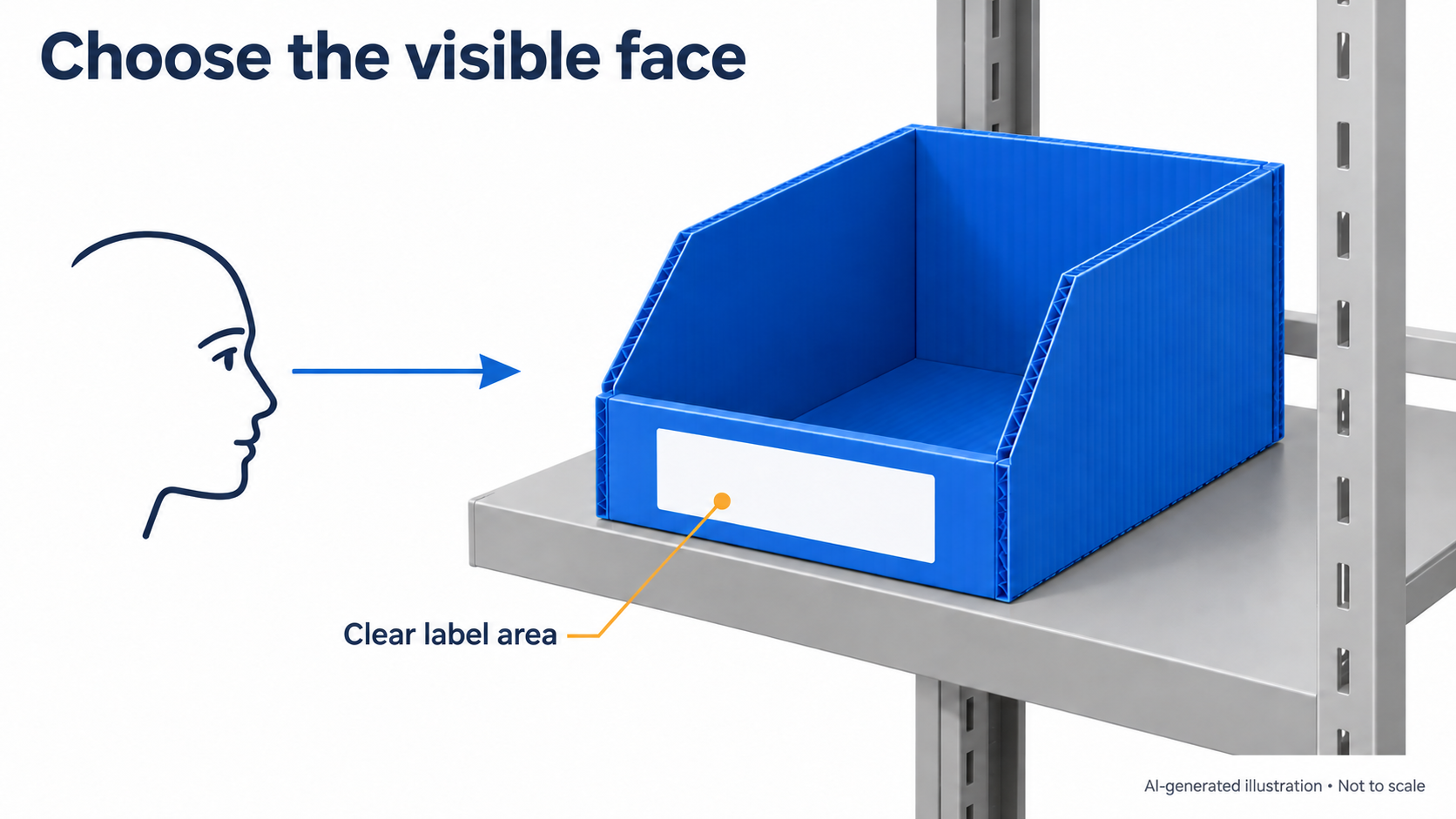
AI-generated illustration, not to scale. The marked area shows a possible viewing position; it is not evidence of scanning or adhesive performance.
Reserve space for the whole label
Mark the proposed label dimensions on the box layout. Keep the area clear of folds, joints, openings and fasteners, and allow room for the complete printed design. For a barcode, this includes the quiet zone—the clear space around the symbol required by the applicable barcode specification. Do not crop the code or its clear space to make it fit.
There is no single margin to specify for every label. Confirm the barcode type and its requirements with the team responsible for identification, then check that the available panel can accommodate the proposed design.
If a GS1 logistic label is required, use the applicable GS1 Logistic Label Guideline when preparing it. An internal tote identifier may use a different system; establish which requirements apply before copying a shipping-label layout.
Separate the box identity from its contents
A container ID identifies the box through repeated trips. A contents label describes what is inside for a particular trip. They have different update rules, even when both appear on the same face.
For example, the container number may stay in place while the part number or batch information changes. Agree who replaces the changing information and at what point in the return cycle. Old contents information should not remain visible alongside the current label.
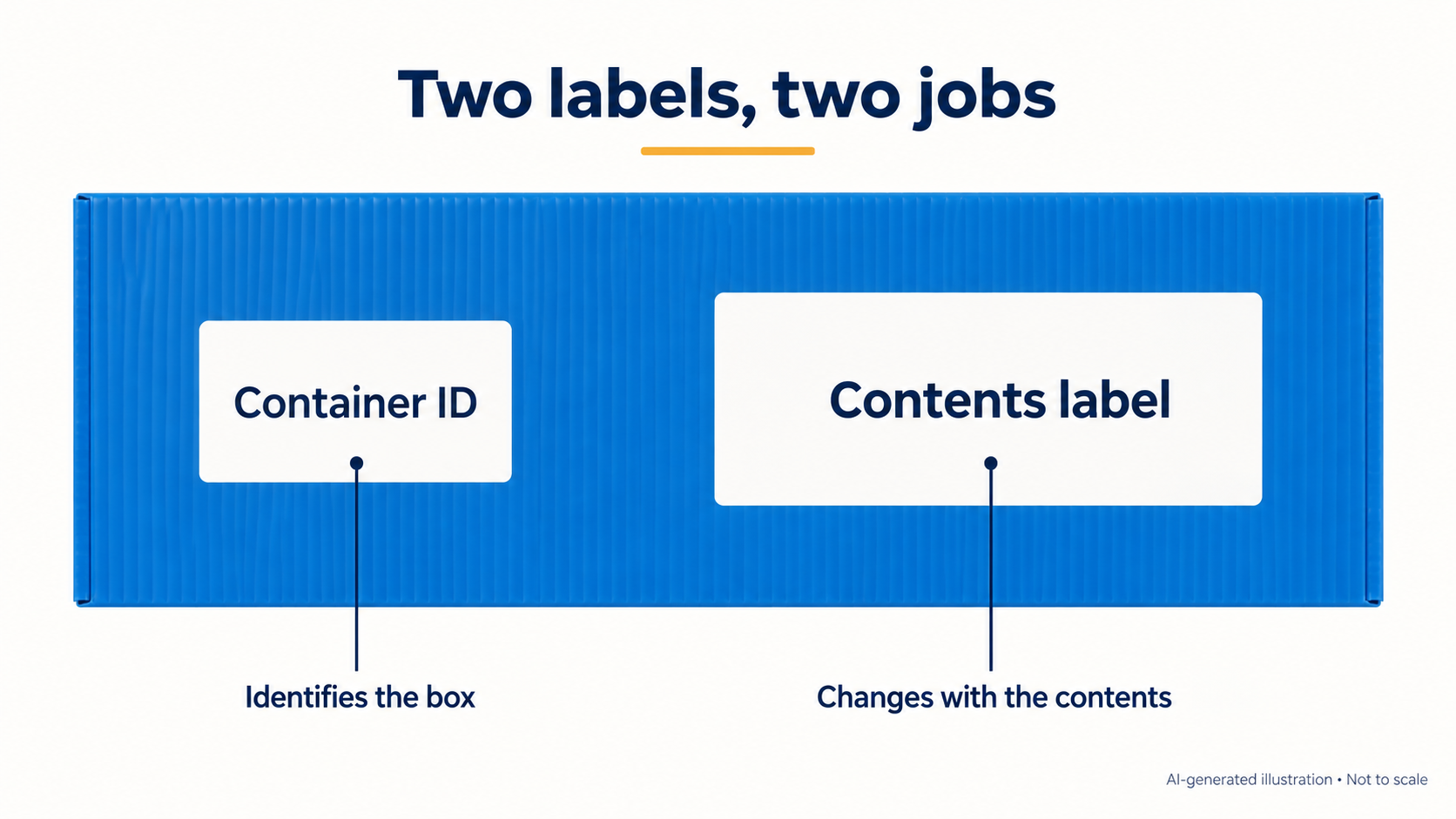
AI-generated illustration, not to scale. The two areas distinguish information roles; they do not specify label size or attachment method.
Trial the layout and attachment together
A photograph can help confirm placement, but it cannot establish whether an adhesive will suit the actual box surface. Give the label supplier the surface details and expected handling, storage and cleaning conditions. Ask the label and packaging suppliers which checks are needed for that combination.
Apply the proposed label to a representative box, load it and place it where it will be used. Have the operator read or scan it from the intended position. If the contents label changes between trips, include removal or replacement in the trial.
Agree the acceptance criteria before testing and record the conditions and results. A successful first scan confirms that reading attempt; it does not establish attachment durability, cleaning resistance or performance through repeated use.
What to send before the layout is approved
One annotated photo or drawing, together with the following details, gives the discussion a useful starting point. Mark anything still unknown as “Not confirmed.”
| Detail | What to provide |
|---|---|
| Working position | Loaded box position, operator or scanner side, and any obstruction |
| Proposed label | Dimensions with units and sample artwork or information |
| Information changes | What stays with the box, what changes, and who replaces it |
| Identification system | Human-readable text, barcode type and scanner, where applicable |
| Use conditions | Relevant handling, storage, cleaning and agreed trial requirements |
If the box itself is still being specified, see the PP corrugated box product page alongside the label layout.
Common questions
Can a barcode label cross a fold or joint?
Keep the barcode and its required clear space within an uninterrupted panel area. A fold or joint can change the label's shape or viewing angle. Check the actual placement with the intended scanner rather than approving it from artwork alone.
Does a successful scan mean the label is ready for repeated use?
No. It confirms that the code was read under those conditions. Attachment, cleaning exposure and label replacement need separate checks suited to the intended use.
Can the container ID and contents information share one label?
They can share a layout, but the update process must preserve the container's identity when the contents information changes. Confirm how that will work before choosing a single label or separate areas.
Discuss your box and label layout
Send an enquiry with the box application, proposed label size and any known placement constraints. If you have a drawing or photo to share, ask how to send it with the follow-up.
Youqian Global — International-facing brand of Youqian Technology (Nantong) Co., Ltd.